
Unsaved changes and drafts
MythTapestry watches for unsaved work across the app — entities, scenes, worlds, calendars, and more — and steps in before it can be lost.
Leaving with unsaved changes
Section titled “Leaving with unsaved changes”Say you’re editing a character named Aria Vell and click a sidebar link, a breadcrumb, or the Back button while her page still has unsaved edits. A dialog appears:
You have unsaved changes
Your changes to Aria Vell have not been saved.
with three choices:
| Choice | What happens |
|---|---|
| Save and leave | Saves your changes, then takes you where you were headed. The button reads Saving… while it works. If saving fails, you stay put and see the error. |
| Discard | Throws away the changes and leaves anyway. |
| Keep editing | Cancels the move. You’re still on the page, nothing is lost. |
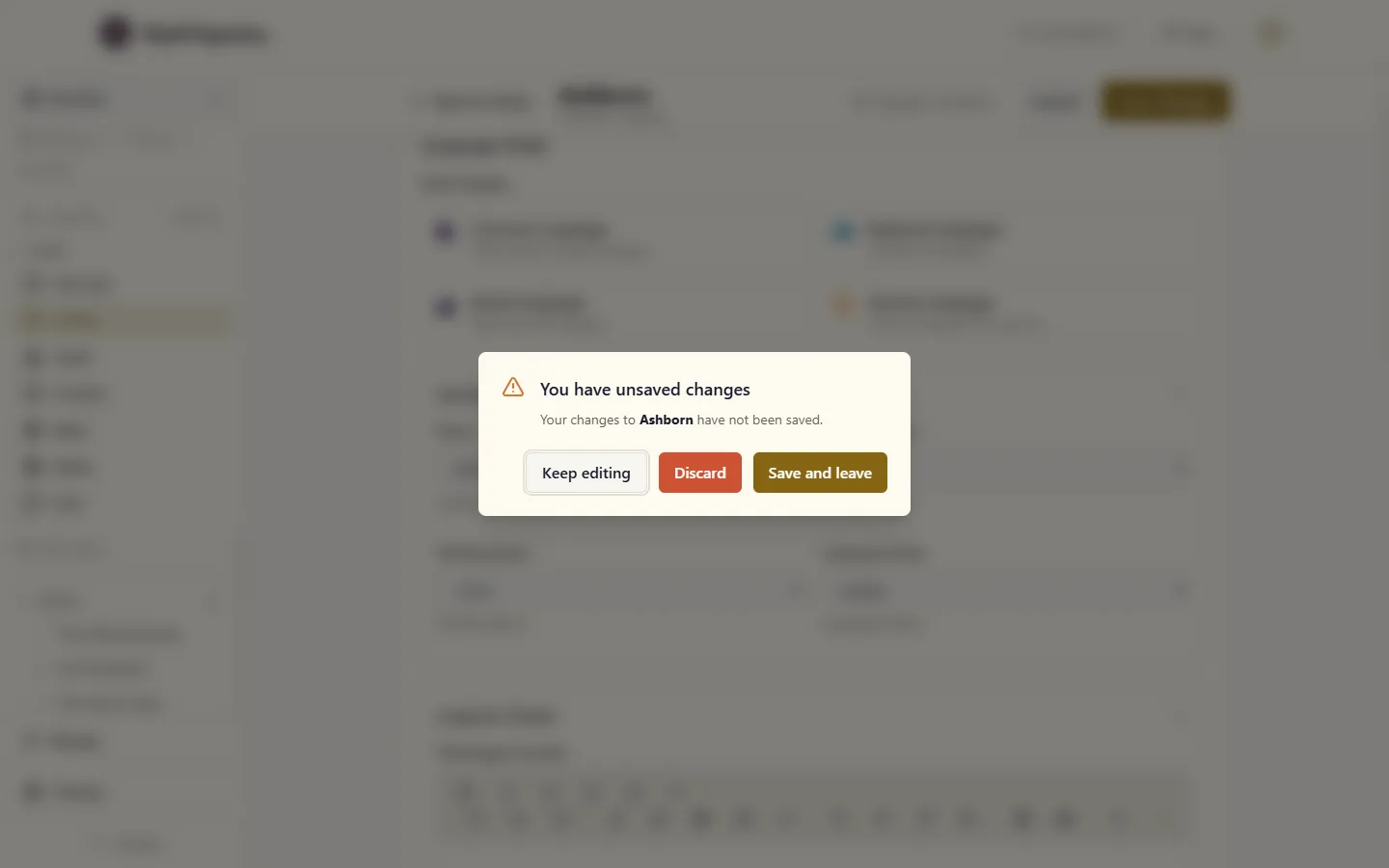
If more than one thing is unsaved at once — say a character page and an open drawer — the dialog names each one, and Save and leave saves them in order, stopping if any of them fails.
Some unsaved work can only be saved from its own button — a half-filled create dialog, for example. When that’s part of what you’d leave behind, the dialog offers just Discard and Keep editing.
Some editors save automatically as you work: a scene you’re writing, once it exists, and the map’s entity drawer. For those, leaving just finishes the last save quietly — no dialog. You’ll only see one if that save fails, and then it offers Discard and Keep editing (there’s no Save and leave, because saving is what just didn’t work). A brand-new scene that has never been saved isn’t saving itself yet, so leaving it gets the full three-choice dialog.
Closing or reloading the tab
Section titled “Closing or reloading the tab”Closing the tab or reloading the page while something is unsaved is outside MythTapestry’s control — your browser handles it with its own warning, usually “Leave site?” or “Reload site?”. Browsers don’t allow sites to customize that message or its buttons. With nothing unsaved, there’s no warning.
If you reload anyway on one of the editors that keep drafts, your work isn’t gone: the page comes back with the restore banner described below. The draft is written about a second after you stop typing, so a reload in that moment can lose the last few words.
Create and edit dialogs
Section titled “Create and edit dialogs”Smaller dialogs — creating a map, setting up a relationship, adding a calendar rule — have their own Create or Save button, so closing them only needs a yes-or-no check. If you’ve typed something and close the dialog with Cancel, Esc, a click outside, or the ✕ button, you’ll see:
Discard what you typed?
with Discard and Keep editing. Closing a dialog you haven’t changed, or one that just finished saving, never asks. If you press the browser’s Back button while such a dialog has changes, you get the leave dialog from above, with Discard and Keep editing.
Signing out
Section titled “Signing out”Clicking Sign Out from your account menu follows the same rule as any other move away from unsaved work: if something is unsaved, you’ll see the leave dialog first. Choose Save and leave or Discard and you’re signed out right after, with no second warning from your browser. Choose Keep editing, or have the save fail, and you stay signed in.
If you’re signed out mid-edit
Section titled “If you’re signed out mid-edit”Now and then your sign-in expires while you’re mid-sentence, for example after leaving a tab open for a long time. MythTapestry can’t offer to save first, because saving needs the very session that just ended. Your browser may still show its own “Leave site?” warning as it takes you to the sign-in page, because the page has unsaved changes. On the editors that keep drafts (listed below), leaving is safe.
That’s because your work has already been quietly kept as you typed, about a second after each pause, in this browser only. After you sign back in, you land on the same page and see a banner:
You have unsaved changes from Oct 13, 02:32 PM. Discard · Restore
(The date and time appear the way your browser normally writes them.)
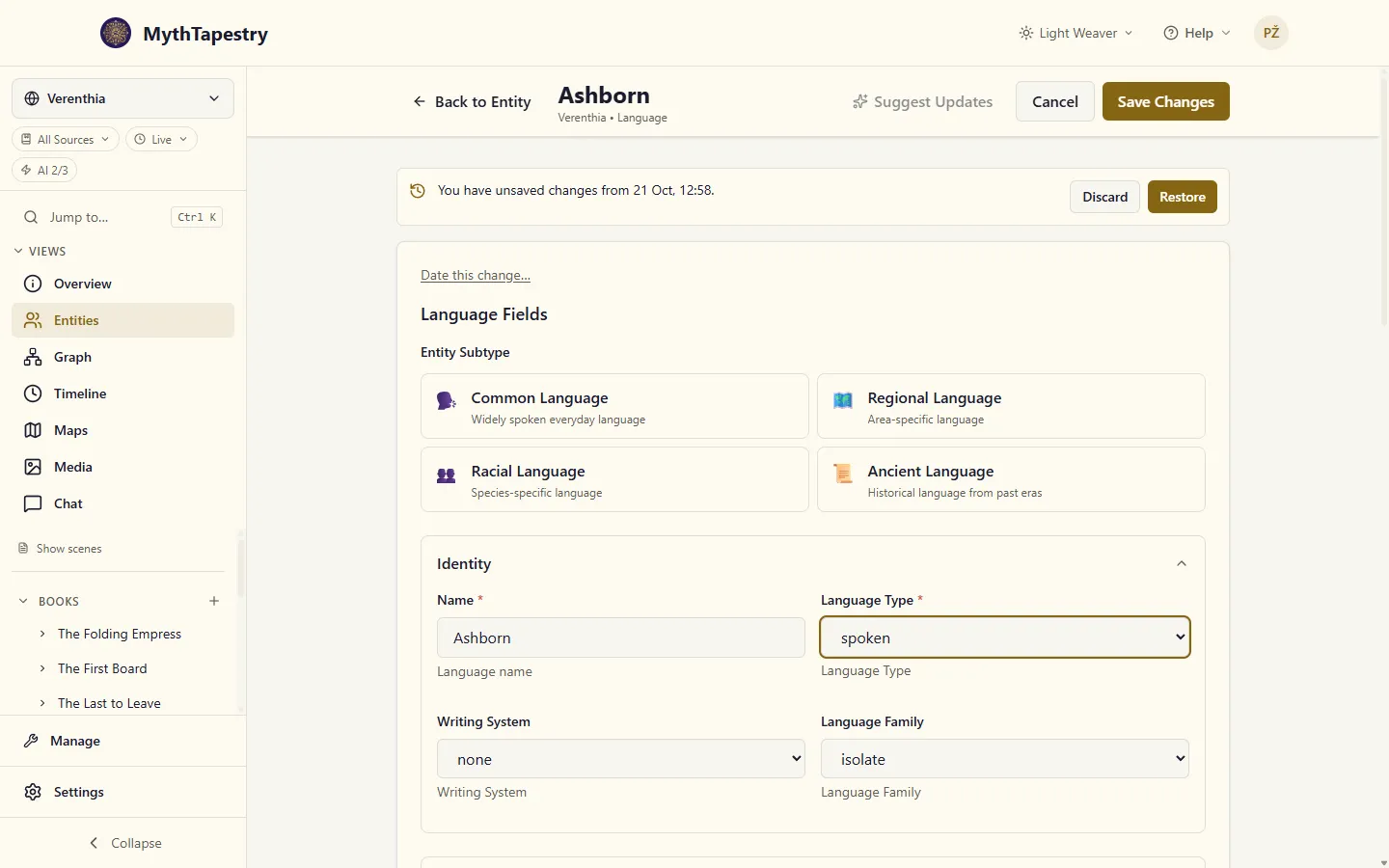
Click Restore to put it back in the form, or Discard to drop it.
If someone else — or another tab — changed that same record after your draft was taken, the banner adds a note:
This has been changed since then. Restoring puts your draft back in the form; nothing is saved until you click Save.
For a scene you’d already created, which saves itself, the note reads instead:
This has been changed since then. Restoring replaces that newer version when it autosaves.
What keeps a draft, and what doesn’t
Section titled “What keeps a draft, and what doesn’t”Drafts exist for the editors where losing work would really hurt: entity create and edit pages, the scene/content editor, container editing, world create and edit, calendar editing, and date references.
Smaller dialogs and settings screens are still guarded by the leave dialog above — they just don’t keep anything around to restore, since re-typing a short form is no real loss.
Where drafts live, and how long they last
Section titled “Where drafts live, and how long they last”A few things are true of every draft:
- This browser only. A draft lives on the device and browser where you typed it — it won’t appear if you sign in somewhere else.
- Cleared when you sign out. Signing out removes every draft you were keeping.
- Gone after 7 days. A draft you never came back to clears itself out after a week.